1. Origins
The newline — a seemingly simple concept — actually has a fairly long history. It comes from the old-style typewriter:

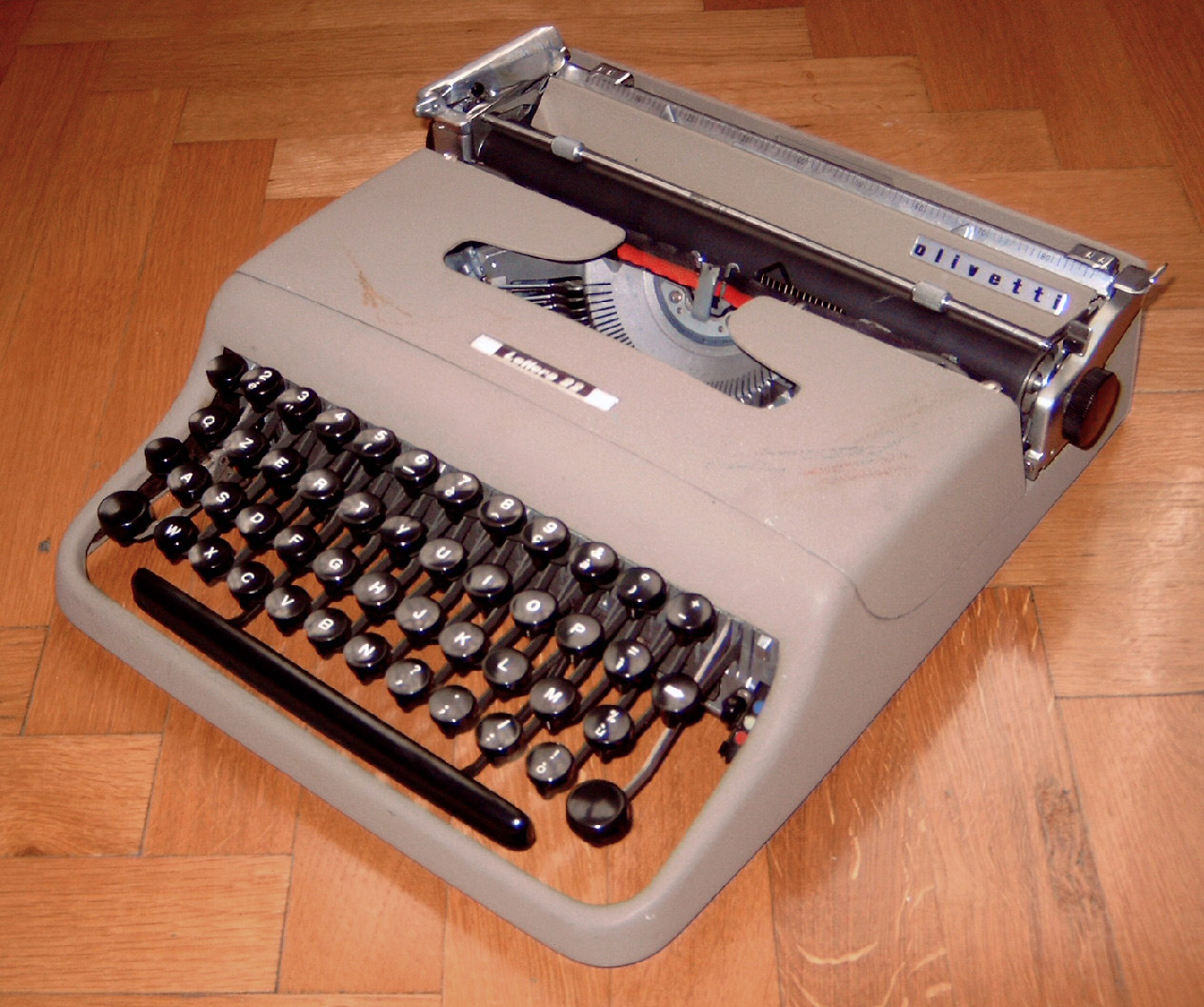
Early typewriters had a “carriage” that could slide left and right, which struck the corresponding character onto the paper with a type hammer. When typesetting, text is output left-to-right and top-to-bottom, so once a line was full, two things had to happen:
- Roll the paper up by one line — line feed (LF)
- Move the carriage back to the far left — carriage return (CR)
Both of these actions are fundamentally about “controlling mechanical position,” not “outputting text.” To simplify the operation, pressing a single Enter key on the keyboard performs both actions at once.
2. Carried into the Computer Age: \n and \r
By the time of electronic computers, the keyboard’s design was a direct descendant of the typewriter, and CR and LF were both encoded into the ASCII table. They map as follows:
\n→ line feed (move to the next line)\r→ carriage return (return to the start of the line)
Because storage was expensive in the early days, different systems adopted different combinations for “newline” to save space or to preserve compatibility. Both characters together take up one unit of length, but early computer storage was so expensive that using two characters to represent a newline took up too much space, so different systems settled on their own designs:
| Abbreviation | Full name | Symbol | System | Mnemonic |
|---|---|---|---|---|
cr | carriage return | \r | mac | mac has a “c” in it |
lf | line feed | \n | linux | linux also starts with “l” |
crlf | carriage return line feed | \n\r | Windows | Microsoft does cr, then f |
3. Running into Problems
Because different operating systems use different line-ending formats, using the same file across platforms often runs into the following problems:
3.1 Windows → Linux: ^M appears
When opening a Windows (CRLF) file on Linux, each line often ends with something like Hello world^M — that ^M is the visual representation of \r (CR).
3.2 Linux → Windows: newlines behave incorrectly
Some Windows programs assume newlines are always CRLF, so when they encounter a file with only \n:
- Line breaks may not work correctly
- Or the whole block of text may display as a single line
3.3 Legacy macOS format (CR only)
Rare nowadays, but if you open a file with only \r (the old classic Mac format), some editors may not break lines at all.
4. Solutions
- ✔ Method 1: Let a modern editor convert it automatically (recommended)
Editors like VS Code, Sublime Text, and Notepad++ can all automatically detect and convert line-ending formats. In VS Code, for example: click LF / CRLF in the bottom-right corner, then choose the format to convert to.
- ✔ Method 2: Convert with a command-line tool
# Linux / macOS
dos2unix file.txt # convert Windows CRLF to Unix LF
unix2dos file.txt # convert Unix LF to Windows CRLF
Manual replacement (not recommended, but it works)
# remove all CR (^M)
sed -i 's/\r$//' file.txt- ✔ Method 3: Handle it inside your programming language (e.g., Python)
Python automatically recognizes line endings by default, but if you need to handle it manually:
with open("file.txt", "r", newline="") as f:
    content = f.read().replace("\r\n", "\n").replace("\r", "\n")